


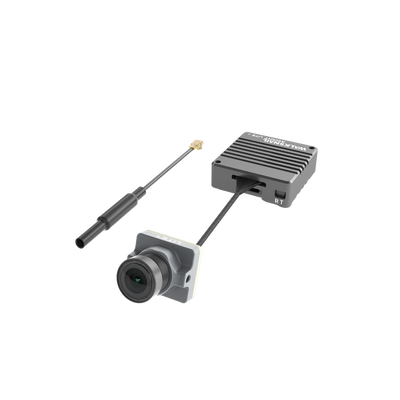
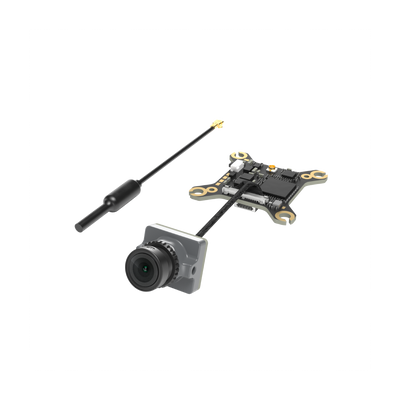
![[BETA TEST] Walksnail Neuxs AIO-1S Flight Controller & VTX](http://www.caddxfpv.com/cdn/shop/files/20260920-141551.png?v=1789884994&width=400)




















Affiliate Program Guide

*Applicable to the Goaffpro platform only.
Registration:
1. Sign up at: https://caddxfpv.goaffpro.com/create-account
Fill in your name, email, password, your promotional channel (e.g., Facebook, YouTube, blog, etc.), and — most importantly — your PayPal account (PayPal is currently our only commission payment method, so please ensure your account details are correct. You can update them later in your account settings).

2. After creating your account, please verify your email address promptly to complete the registration process.

3. Once submitted, we will review your application in a timely manner. If your application remains pending for an extended period, please contact us at: affiliate@caddxfpv.com
Promotion:
1. Log in
Log in to your account dashboard to access your unique referral link: https://caddxfpv.goaffpro.com/login

2. Referral Link
1) View your commission rate and unique referral link in this section. You can share it directly to other social media platforms and customize your own referral code. (When a customer places an order through your referral link, you'll earn the corresponding commission on that order.)

2) Simply enter your desired code and click Submit. (Your code is unique and serves as your personal ID — it's used to track customers who come through your referral link.)

3. Refer & Earn
Marketing Tools → Paste your product page link from caddxfpv.com → Your link generated → Copy → Share & earn commissions
Browse the products you'd like to promote on caddxfpv.com, then copy and paste the product page URL to generate your personalized referral link. Click "Copy" to copy the affiliate link directly, or click "Save" to store the link in the History section below.

4. Analytics
Monitor and analyze your traffic and conversion data in this section to optimize your future promotions.

5. Payments
1) View your commission details here, including paid and unpaid amounts. Click the "Change" button in the upper-right corner to update your PayPal account information.

2) Please ensure your PayPal details are accurate. If you update your PayPal information, be sure to notify us.

6. Others
If you need to update your account information, promotional channels, password, or other details, head to the Settings section to make changes.

*If you have any questions, feel free to contact us at any time. affiliate@caddxfpv.com